Health, safety and compliance for UK telecoms
Every audit, every photo, every report — in one connected workspace.
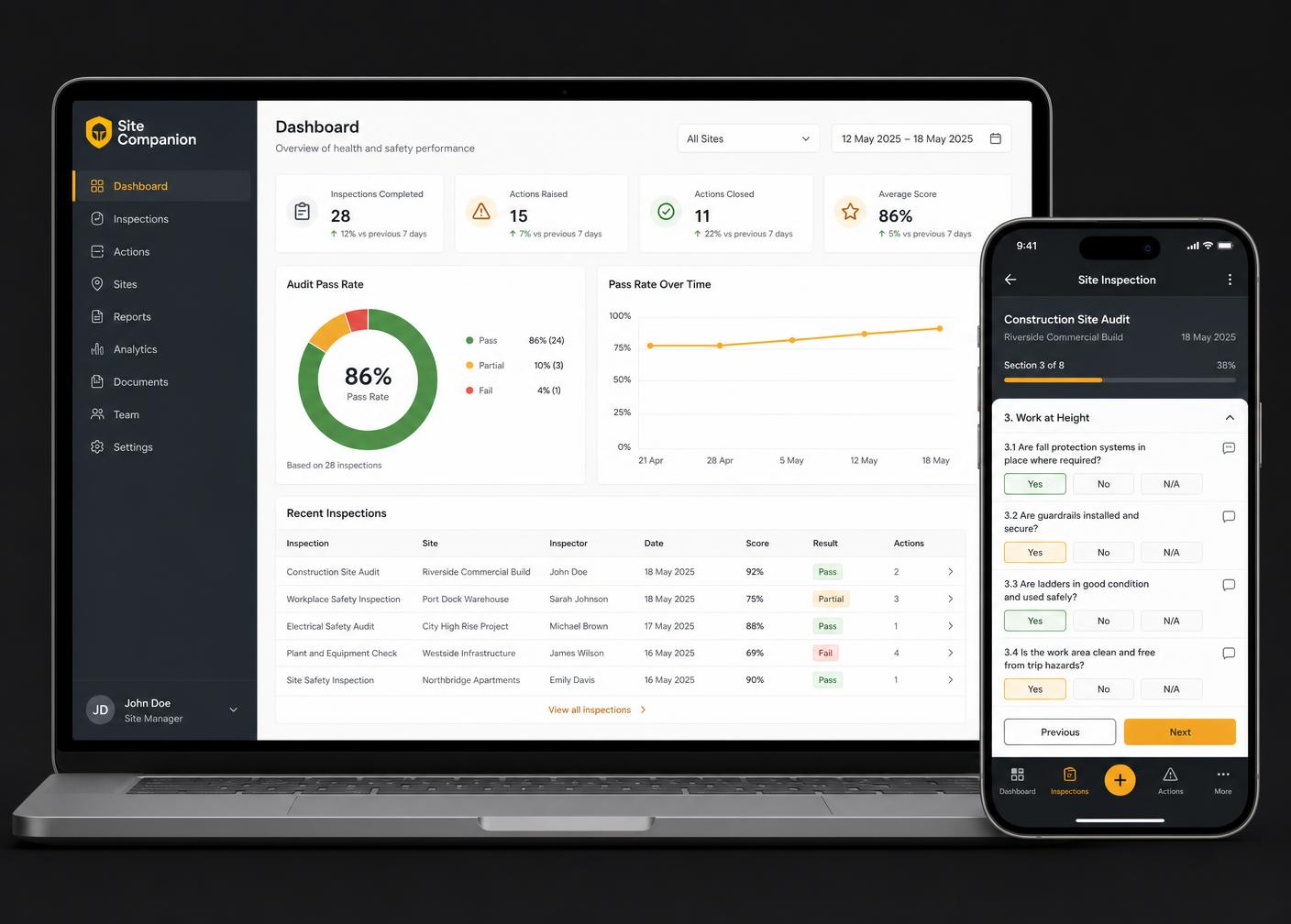
Site Companion connects audit scheduling, offline-ready site inspections, AI-supported preparation and coaching, compliant reporting, analytics, competency records and safety communications. Built by Practical Safety Group for teams working from the field to desktop oversight.
- Built for UK telecoms
- AI-supported assurance
- Secure workspaces
- Field-first, offline-ready
- Mobile and desktop
The problem
Assurance breaks down between the site and the spreadsheet
Most telecoms safety processes are not missing effort — they are missing connection. The work happens in seven places and comes together nowhere.
- 01
Audit schedules tracked in spreadsheets that nobody trusts by Friday.
- 02
Paper forms and PDFs completed on site, then typed up again in the office.
- 03
Photos scattered across personal phones, WhatsApp threads and shared drives.
- 04
Findings explained differently by every auditor, so scoring never compares.
- 05
Reports assembled by hand, days after the visit, with evidence missing.
- 06
Certificates and competency records held in an inbox rather than a system.
- 07
Safety bulletins emailed out with no record of who actually read them.
The alternative
One connected platform
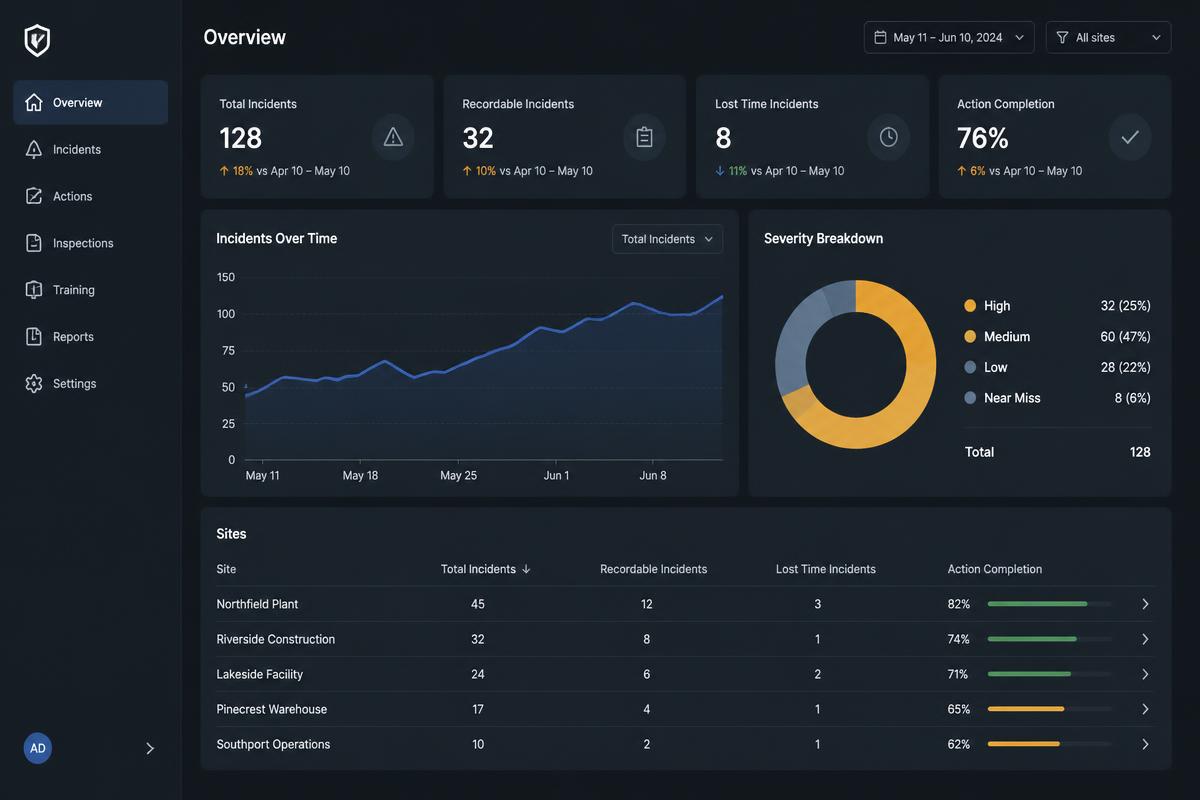
Preparation, capture, reporting, analysis, competency and communications share the same records — so what happens on site is what management sees, without anyone retyping it.
See the full feature setHow it works
Prepare, audit, capture, report, analyse, manage, communicate
A single thread from the schedule to the boardroom pack — each step feeding the next.
- Step 1
Prepare
Build the schedule, assign auditors, and brief them with site context and AI-supported prep notes before they travel.
- Step 2
Audit
Work through structured question sets designed for telecoms sites, with consistent scoring and severity definitions.
- Step 3
Capture
Take photos, notes and measurements on mobile — including with no signal — and sync when the device is back online.
- Step 4
Report
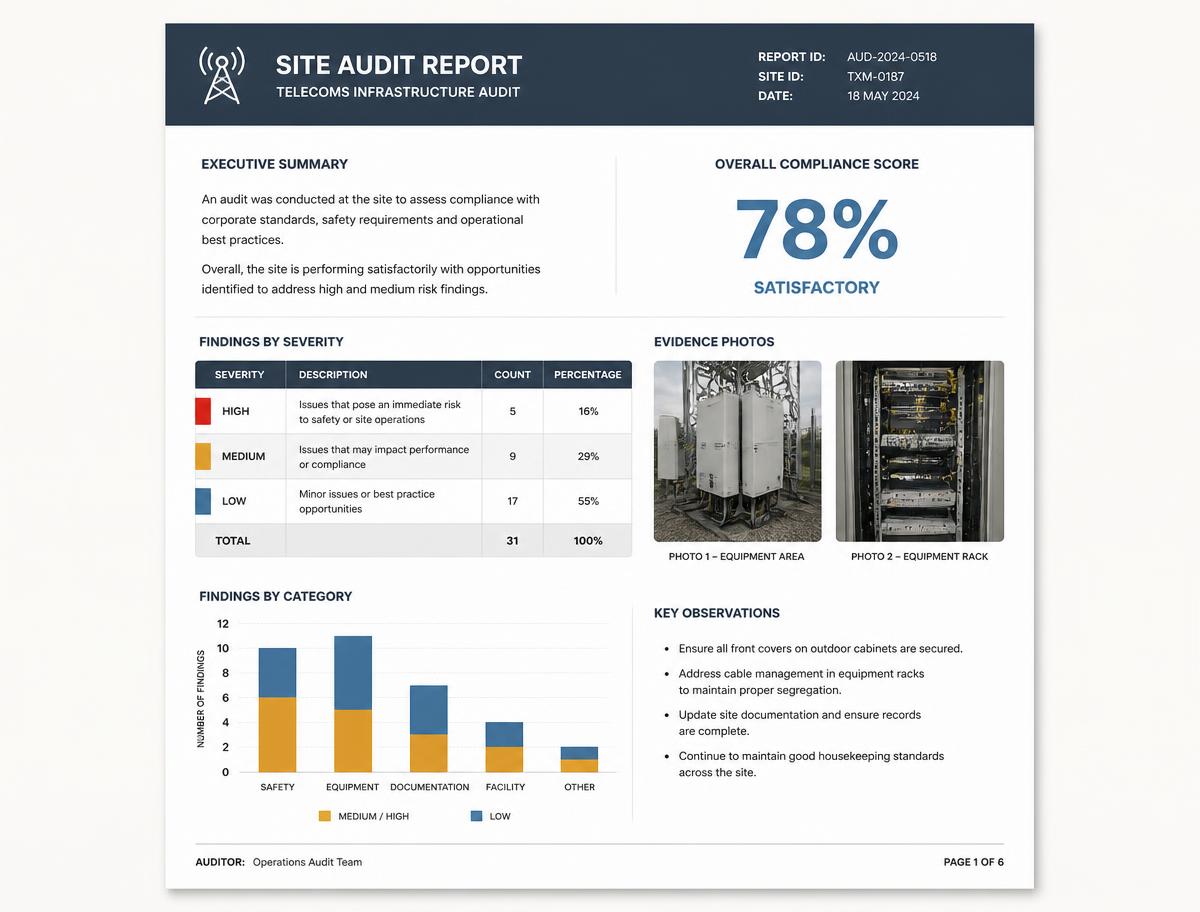
Generate a professional audit report with evidence attached, ready to share with the contractor and the client.
- Step 5
Analyse
Roll findings up across sites, contractors and regions to see what is recurring and where to intervene.
- Step 6
Manage
Track competency, certificates and remedial actions through to close-out against the right people.
- Step 7
Communicate
Publish bulletins and safety comms to the workforce and keep a record of distribution.
Outcomes
What changes once the process is connected
One version of the truth
Schedules, evidence, findings and reports live in one workspace instead of six tools.
Consistent audits
Every auditor works from the same question sets, severity definitions and scoring approach.
Evidence that holds up
Photos and notes are captured against the finding they belong to, with time and site context.
Faster reporting
Reports are produced from what was captured on site, not reassembled afterwards.
Visible trends
Recurring issues surface across sites and contractors rather than sitting inside individual reports.
Aligned stakeholders
Auditors, contractors, clients and management see the same picture at the same time.
Product overview
See Site Companion in action
Watch how a visit moves from schedule to signed-off report, including what the auditor sees on site.
See Site Companion in action
A short product overview covering preparation, on-site capture and reporting.
Capabilities
Ten things Site Companion does in one place
Each capability shares the same records, so nothing has to be re-entered between steps.
Audit scheduling
Plan and assign visits across teams, regions and contractors.
Digital inspections
Structured, telecoms-specific question sets completed on any device.
Offline capture
Full functionality on site with no signal; sync on reconnection.
Photo evidence
Images attached to the exact finding, not a separate folder.
AI preparation
Context and prompts for the auditor before they arrive on site.
On-site coaching
Plain-English explanation of what good looks like, at the point of need.
Audit reports
Consistent, branded reports generated from captured evidence.
Analytics
Trends by site, contractor, region, severity and question set.
Competency records
Certificates and tickets held against people and organisations.
Safety bulletins
Targeted comms to the field with a record of distribution.
Illustrative example
Reports built from what was captured on site
Scores, severity and evidence come straight from the inspection — no reassembly, no missing photos.
- Overall score
- 94%
- Audit Index
- Tracked per visit
- High severity
- 1 finding
- Best practice
- 2 noted
Figures shown are an illustrative example of report structure, not customer data.
Who it is for
Built for everyone in the assurance chain
- Health & safety managers
- Field auditors and assessors
- Operations managers
- Contract and delivery managers
- Subcontractor principals
- Quality and compliance leads
- Training and competency teams
- Senior leadership and clients
Next step
See Site Companion against your own audit process
A short, practical walkthrough with the team that builds it. No obligation, no scripted pitch.